Tuesday, March 06, 2007
Oracle EBS 11i with 10G OEM

Tuesday, February 27, 2007
First patch on Oracle E-Business Suite R12
I could not help feeling a little bit excited, because patching is changed in EBS R12.
The manual steps to be taken before patching are removed from the readme and placed into an xml file. Before patching you are supposed to run a new perl script called $AD_TOP/bin/admsi.pl
This script creates an install_{patch_number}.html.
After performing the steps in the html file, you have to run $AD_TOP/bin/admsi.pl –done (to let the system know you have performed the manual steps….).
The admsi.pl also creates a custom readme which you have to read before patching.
I was a little bit disappointed, because the patch I downloaded is maybe to small. Nothing about admsi.pl in the readme…Tried to run admsi.pl anyway
cd /ebs/patches/5856453/ad/patch/115/manualsteps
[oracle@vamisux34 manualsteps]$ $AD_TOP/bin/admsi.pl
Invoking Oracle Patch Application Assistant….
Exception in thread "main" java.lang.ExceptionInInitializerError
at com.jgoodies.looks.plastic.PlasticLookAndFeel.
at oracle.apps.ad.msi.LaunchUI._useOracleLookAndFeel(LaunchUI.java:69)
at oracle.apps.ad.msi.LaunchUI.
Caused by: java.awt.HeadlessException:
No X11 DISPLAY variable was set, but this program performed an operation which requires it.
at sun.awt.HeadlessToolkit.getScreenResolution(HeadlessToolkit.java:189)
at com.jgoodies.looks.LookUtils.isLowResolution(LookUtils.java:436)
at com.jgoodies.looks.LookUtils.
… 3 more
Maybe with X-manager and $DISPLAY set ? No, admsi.pl returns a java exception…
Invoking Oracle Patch Application Assistant….
Exception in thread "main" java.lang.StringIndexOutOfBoundsException: String index out of range: -1
at java.lang.String.substring(String.java:1762)
at oracle.apps.ad.msi.LaunchUI.main(LaunchUI.java:107)
Running admsi.pl like this.....
[oracle@vamisux34 manualsteps]$ perl $AD_TOP/bin/admsi.pl -cli
Gathering Information..
Enter the patch_top : /ebs/patches/5856453
Enter the APPS user password:
Logfile for this session is located at admsi.log
Generating installation instructions for patch 5856453..
Updating database....
install_5856453.html generated successfully
install_5856453.txt generated successfully
[oracle@vamisux34 manualsteps]$
The install_5856443.html is the new readme. Because there are no manual actions to perform, the new generated readme is the same as the old one and I can apply the patch using adpatch..
oracle@vamisux34 appl]$ cd /ebs/patches
[oracle@vamisux34 patches]$ ls
5856453 p5856453_R12[1].AD.A_R12_LINUX.zip
[oracle@vamisux34 patches]$ cd 5856453/
[oracle@vamisux34 5856453]$ adpatch options=hotpatch
************* Start of AutoPatch session *************
AutoPatch version: 12.0.0
AutoPatch started at: Tue Feb 27 2007 11:05:47
…..
AutoPatch is complete.
AutoPatch may have written informational messages to the file/appl/apps/apps_st/appl/admin/PROD/log/u5856453.lgi
Errors and warnings are listed in the log file/appl/apps/apps_st/appl/admin/PROD/log/u5856453.log
and in other log files in the same directory.
The patch finished without problems….
Monday, February 26, 2007
OAUG meeting in Amsterdam

Friday, February 23, 2007
Oracle Partner Release 12 Update seminar
After the lunch I went to the Applications Technology meeting. This seminar was also an overview, but still there were some interesting issues. For example, in R12 the Integration Repository is part of the EBS, instead of the static html page it was in EBS 11i (http://irep.oracle.com/index.html). And now that it's part of the EBS, when a patch updates a api, the irep is also updated !!! The irep, by the way, is used for integration with the Oracle EBS. It shows us how you can integrate with the EBS. Making irep a part of the EBS R12 is also a part of the Oracle Fusion development.
Friday, February 16, 2007
Oracle Applications Manager in Oracle EBS R12
Wednesday, February 14, 2007
Guest password in Oracle EBS
What the current password is, is shown by the following sql
SQL> select profile_option_value from fnd_profile_option_values
2 where profile_option_id = 3805;
To see if the login password for user GUEST is the default password...
select fnd_web_sec.validate_login('GUEST','ORACLE)
from dual;
Because autoconfig was no option at that time, I suggested to change the profile back to it's default by using the SAVE function from the FND_PROFILE package.
DECLARE
stat boolean;
BEGIN
dbms_output.disable;
dbms_output.enable(100000);
stat := FND_PROFILE.SAVE('GUEST_USER_PWD', 'GUEST/ORACLE', 'SITE');
IF stat
THEN
dbms_output.put_line( 'Stat = TRUE - profile updated' );
ELSE
dbms_output.put_line( 'Stat = FALSE - profile NOT updated' );
END IF;
commit;
END;
After running this function the password was set to ORACLE. The GUEST user password is also mentioned in the dbc file and in the xml file. If all the entry's are the same, everything should work fine.
Well, at Sunday we lost contact. But last Monday I received an email saying the problem was solved. I asked what solved the problem in the end, but I did not receive an answer yet.
Thursday, February 08, 2007
Install Oracle EBS 12i

So, I finally installed the new EBS 12i release. I had to install with an empty database, because of disk space limits...
But the important thing is that the installation went well and was successful.
Some first impressions...
- the look and feel changed (we had already seen some previews..)
- some strange options when logging in the application ??
- the database is twice as big (10g vs 9i)
- new technology stack
- new instance top
I also faced a first problem. I could not startup the application in my Microsoft explorer..The java console showed the login was hanging on the appslogo_new.gif ??
I found out that when I deactivated my Oracle Dba Toolbar in the explorer, I could enter the application without any problem. But when activating the toolbar again..the login process was hanging again on the same gif. Strange...the toolbar was downloaded from OTN and is something Oracle brought to my attention... I wonder if this is a known issue....
I also saw the dbc file is now in the instance top directory. Strange, because the path to the dbc file seems the same, /appl/fnd/12.0.0/secure....but this is not in the APPL_TOP, but in the INSTANCE_TOP (inst/apps/PROD_vamisux34).
A simple ls command in the INSTANCE_TOP shows..
[oracle@vamisux34 PROD_vamisux34]$ ls
admin appltmp conf_PROD.txt logs ora pids rgf
appl certs conf_PROD.txt.bac ocm out portal temp
The admin directory contains the scripts directory, where all the start/stop scripts are located.
The appl directory shows us
[oracle@vamisux34 appl]$ ls
admin fnd
where fnd holds the dbc file and the admin directory contains the xml file.
More to come....
Friday, February 02, 2007
Sizing Oracle EBS 12i
From the stage area I started the rapidwiz to check the required disk space.
Here is the required disk space for Oracle EBS 12i :
Database ORACLE_HOME = /ebs/db/tech_st/10.2.0
required = 4234.0
Database System File Directory = /ebs/db/apps_st/data
required = 19487.0
Database Log File Directory = /ebs/db/apps_st/data
required = 3165.0
Database Transaction File Directory = /ebs/db/apps_st/data
required = 66244.0
Database Archive File Directory = /ebs/db/apps_st/data
required = 45061.0
APPL_TOP = /ebs/apps/apps_st/appl
required = 5078.0
APPL_TOP mount 2 = /ebs/apps/apps_st/appl
required = 2639.0
APPL_TOP mount 3 = /ebs/apps/apps_st/appl
required = 4167.0
APPL_TOP mount 4 = /ebs/apps/apps_st/appl
required = 2882.0
COMMON_TOP = /ebs/apps/apps_st/comn
required = 2743.0
Apps ORACLE_HOME = /ebs/apps/tech_st/10.1.3
required = 1553.0
Tools ORACLE_HOME = /ebs/apps/tech_st/10.1.2
required = 1138.0
So, you see the database is much bigger then release 11.5.10.2 (10g vs 9i). Also the new APPL_TOP is a little bigger then the old one.
To check for yourself, here is the required disk space for Oracle EBS 11.5.10.2
Database ORACLE_HOME
required = 3091.0
Database System File Directory
required = 12023.0
Database Log File Directory
required = 160.0
Database Transaction File Directory
required = 28870.0
Database Archive File Directory
required = 21206.0
APPL_TOP
required = 5707.0
APPL_TOP mount 2
required = 3212.0
APPL_TOP mount 3
required = 5852.0
APPL_TOP mount 4
required = 2524.0
COMMON_TOP
required = 2963.0
Apps ORACLE_HOME (iAS)
required = 2600.0
Tools ORACLE_HOME (8.0.6)
required = 3027.0
Thursday, February 01, 2007
Applications unlimited
In the afternoon I visited Oracle again, this time in Amsterdam for the Applications Unlimited session. In a beautifull environment, the board room in the Rembrandt Tower, I saw the Applications unlimited presentation from New York. Saw some old colleques and enjoyed the whole scene....
Now back to work , trying to complete the staging area for the EBS 12i....
Tuesday, January 30, 2007
Rapid Install installs the file system and database files for all products, regardless of
their licensed status. The approximate file system requirements in a standard
installation are:
Applications node file system (includes AS
10.1.2 ORACLE_HOME, AS 10.1.3
ORACLE_HOME, COMMON_TOP,
APPL_TOP, and INST_TOP)
28 GB
Database node file system (Fresh install) 45 GB
Database node file system (Vision Demo database)
133 GB
The total space required for a standard system,
not including the stage area, is 73 GB for a fresh install with
a production database, and 161 GB for a fresh install with a Vision
Demo database.
Note: The database node disk space requirements for both the
production database and the Vision Demo database include database
1-10 Oracle Applications Installation Guide: Using Rapid Install
files (.dbf) and the 10g R2 database ORACLE_HOME.
Stage area
For a production database install, running Rapid Install from a stage area requires at
least 33 GB to accommodate the file system and database files in the stage area.
Monday, January 29, 2007
EBS 12i
This week is also the launch of the new EBS 12i in Amsterdam. This launch is on wednesday. In the morning I'm visiting Oracle for a fusion middleware overview, and later on I'm going to Amsterdam for the global launch...
http://www.oracle.com/webapps/events/EventsDetail.jsp?p_eventId=61972&src=4852728&src=4852728&Act=26
Thursday, January 18, 2007
Installing WEB ADI in EBS 11.5.10.2

Install Webadi (BNE.D) on EBS 11.5.10.2
1. note 287080.1 on Metalink
2. check if WEB ADI is spliced into your environment
[oracle@ebs2 prod_ebs2]$ sqlplus apps/apps
SQL*Plus: Release 10.2.0.2.0 - Production on Tue Jan 16 08:23:42 2007
Copyright (c) 1982, 2005, Oracle. All Rights Reserved.
Connected to:
Oracle Database 10g Enterprise Edition Release 10.2.0.2.0 - Production
With the Partitioning, OLAP and Data Mining options
SQL> Select * from APPLSYS.FND_APPLICATION where APPLICATION_SHORT_NAME = 'BNE';
APPLICATION_ID APPLICATION_SHORT_NAME
-------------- --------------------------------------------------
LAST_UPDATE_DAT LAST_UPDATED_BY CREATION_DATE CREATED_BY LAST_UPDATE_LOGIN
--------------- --------------- --------------- ---------- -----------------
BASEPATH PRODUCT_CODE
-------------------- --------------------------------------------------
231 BNE01-SEP-04 2 01-JAN-80 1 0BNE_TOP BNE
SQL>
If a record returns, then WEB ADI has been spliced.
2. install patch 4291053
3. install patch 3218526 (BNE.D)
4. from the adadmin menu compile apps schema (1)
Compile/Reload Applications Database Entities
---------------------------------------------------
1. Compile APPS schema
2. Compile menu information
3. Compile flexfields
4. Reload JAR files to database
5. Return to Main Menu
5. in the same adadmin session compile flexfield data in AOL tables (option 3)
6. restart application middle tier
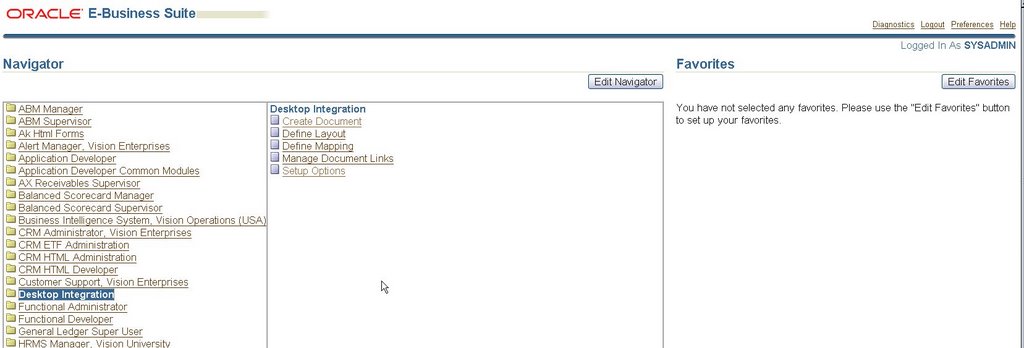
7. Now you have a responsability 'Desktop Integraton' (see screen print on top..)
Tuesday, January 16, 2007
FNDCPASS ALLORACLE
To change the APPS password use...
FNDCPASS apps/*** 0 Y system/***** SYSTEM APPLSYS [new_password]
(the apps password is also mentioned in some config files, so you have to change those files manually !!!)
To change any other schema...
FNDCPASS apps/**** 0 Y system/***** ORACLE GL [new_password]
To change the password of a application user
FNDCPASS apps/*** 0 Y system/****** USER SYSADMIN [new_password]
When changing the password of all schemas in the database, you have a lot off FNDCPASS to do...there are almost 200 schemas in the EBS database that need to be changed. Default the password is schema name, so gl/gl and ap/ap...
When installing patch 4676589 (11i.ATG_PF.H Rollup 4) a new feature is added to FNDCPASS. Now you can use the ALLORACLE functionality to change all the schema passwords in one FNDCPASS.
Here is what I did to use the new FNDCPASS feature...
1. install AD: Patch 11i.AD.I.4 (patch 4712852)
2. install patch 5452096
sqlplus -s APPS/***** @/appl/prodappl/ad/11.5.0/admin/sql/adtpurge.sql 10 1000
Spawned Process 17504
Done purging timing information for prior sessions.
AutoPatch is complete.
AutoPatch may have written informational messages to the file/appl/prodappl/admin/prod/log/u5452096.lgi
Errors and warnings are listed in the log file/appl/prodappl/admin/prod/log/u5452096.log
and in other log files in the same directory.
3. run the Technology Stack Validation Utility
[oracle@ebs2 bin]$ ./txkprepatchcheck.pl -script=ValidateRollup -outfile=$APPLTMP/txkValidateRollup.html -appspass=apps
*** ALL THE FOLLOWING FILES ARE REQUIRED FOR RESOLVING RUNTIME ERRORS
***STDOUT /appl/prodcomn/rgf/prod_ebs2/TXK/txkValidateRollup_Mon_Jan_8_stdout.log
Reportfile /appl/prodcomn/temp/txkValidateRollup.html generated successfully.
4. run autoconfig
5. apply patch 4676589 (11i.ATG_PF.H Rollup 4, Applications Technology Family)
6. After the install
7. apply patch 3865683 (AD: Release 11.5.10 Products Name Patch)
8. apply patch 4583125 (Oracle XML Parser for Java) see note 271148.1
Verify if the upgrade has been successful..
cd $JAVA_TOP
[oracle@ebs2 java]$ unzip -l appsborg.zip grep 9.0.4
0 04-19-03 02:10 .xdkjava_version_9.0.4.0.0_production
[oracle@ebs2 java]$
if there is an xdkjava_version_9.0.4.0.0_production entry, then XML parser is installed.
9. run autoconfig
10. disable maintenance mode (via adadmin)
Change Maintenance Mode
----------------------------------------
Maintenance Mode is currently: [Enabled].
Maintenance mode should normally be enabled when patchingOracle Applications and disabled when users are logged onto the system. See the Oracle Applications MaintenanceUtilities manual for more information about maintenance mode.
Please select an option:
1. Enable Maintenance Mode
2. Disable Maintenance Mode
3. Return to Main Menu
Enter your choice [3] : 2
sqlplus -s &un_apps/***** @/appl/prodappl/ad/11.5.0/patch/115/sql/adsetmmd.sql DISABLE
Successfully disabled Maintenance Mode.
Now try the new FNDCPASS function..
[oracle@ebs2 prod_ebs2]$ FNDCPASS apps/apps 0 Y system/manager ALLORACLE WELCOME
Log filename : L2726002.log
Report filename : O2726002.out
[oracle@ebs2 prod_ebs2]$
[oracle@ebs2 prod_ebs2]$ sqlplus apps/apps
SQL*Plus: Release 8.0.6.0.0 - Production on Mon Jan 15 08:50:39 2007
(c) Copyright 1999 Oracle Corporation. All rights reserved.
Connected to:
Oracle Database 10g Enterprise Edition Release 10.2.0.2.0 - Production
With the Partitioning, OLAP and Data Mining options
SQL> conn gl/welcome
Connected.
SQL> conn ap/welcome
Connected.
SQL>
Tuesday, January 02, 2007
My EBS congifuration
1. Oracle EBS 11.5.10.2
2. Multi node (two nodes) install
3. shared $APPL_TOP
4. shared technology stack (iAS and 8.0.6)
5. Oracle 10.2.0.2 database
6. Oracle Linux operating system
EBS database upgrade 10GR2..
1. patch 5478710 (TXK (FND & ADX) AUTOCONFIG ROLLUP PATCH O)
[oracle@ebs2 bin]$ ./txkprepatchcheck.pl -script=ValidateRollup -outfile=$APPLTMP/txkValidateRollup.html -appspass=apps*** ALL THE FOLLOWING FILES ARE REQUIRED FOR RESOLVING RUNTIME ERRORS*** STDOUT = /appl/prodcomn/rgf/prod_ebs2/TXK/txkValidateRollup_Tue_Dec_19_23_36_11_2006_stdout.log
Reportfile /appl/prodcomn/temp/txkValidateRollup.html generated successfully.
enable maintenance mode using adadmin
Please select an option:
1. Enable Maintenance Mode
2. Disable Maintenance Mode
3. Return to Main Menu
Enter your choice [3] : 1
sqlplus -s &un_apps/***** @/appl/prodappl/ad/11.5.0/patch/115/sql/adsetmmd.sql ENABLESpawned Process 30742
Successfully enabled Maintenance Mode.
After applying the patch make a new appsutil.zip file...
[oracle@ebs1 5478710]$ $ADPERLPRG $AD_TOP/bin/admkappsutil.plStarting the generation of appsutil.zipLog file located at /appl/prodappl/admin/log/MakeAppsUtil_12200852.logoutput located at /appl/prodappl/admin/out/appsutil.zipMakeAppsUtil completed successfully.
Copy appsutil.zip to your new 10g $ORACLE_RDBMS_HOME, once you have created this new $ORACLE_HOME. In the new ORACLE_HOME unzip -o..
run autoconfig on db-tier
[oracle@ebs2 prod_ebs2]$ ./adautocfg.shEnter the APPS user password:AutoConfig is configuring the Database environment...
AutoConfig will consider the custom templates if present. Using ORACLE_HOME location : /ebs/proddb/9.2.0 Classpath : /ebs/proddb/9.2.0/jre/1.4.2/lib/rt.jar:/ebs/proddb/9.2.0/jdbc/lib/ojdbc14.jar
:/ebs/proddb/9.2.0/appsutil/java/xmlparserv2.zip:/ebs/proddb/9.2.0/appsutil/java:/ebs/proddb/9.2.0/jlib/netcfg.jar
Using Context file : /ebs/proddb/9.2.0/appsutil/prod_ebs2.xml
Context Value Management will now update the Context file
Updating Context file...COMPLETED
Attempting upload of Context file and templates to database...COMPLETED
Updating rdbms version in Context file to db920Updating rdbms type in Context file to 32 bitsConfiguring templates from ORACLE_HOME ...
AutoConfig completed successfully.
The log file for this session is located at: /ebs/proddb/9.2.0/appsutil/log/prod_ebs2/12200014/adconfig.log
Because I work with 11i.AD.I.2, I had to manually regenerate my jar files using adadmin.
2. patch 4653225, 11.5.10 INTEROP PATCH FOR 10GR2
3. 10201_database_linux32.zip
using runInstaller to install the 10GR2 software in it's own ORACLE_HOME /ebs/proddb/10.2.0
4. 10201_companion_linux32.zip
Install 10G products in the 10g ORACLE_HOME (second option in the install menu...)
5. p4547817_10202_LINUX.zip
6. before the database upgrade I first ran the tool utlu102i.sql in the old 9i database. This script wil generate a upgrade report, and will show what changes have to be made before you can upgrade.
SQL> @utlu102i.sql
Oracle Database 10.2 Upgrade Information Utility 12-20-2006 02:33:32
**********************************************************************
Database:
**********************************************************************
--> name: PROD-
-> version: 9.2.0.6.0
--> compatible: 9.2.0
--> blocksize: 8192.
**********************************************************************
Logfiles: [make adjustments in the current environment]**********************************************************************
--> The existing log files are adequate. No changes are required.
....
7. Gather statistics
8. created the SYSAUX tablespace..
CREATE TABLESPACE SYSAUX DATAFILE '/ebs/proddata/sysaux01.dbf' SIZE 500M AUTOEXTEND ON NEXT 10M MAXSIZE 2000M
NOLOGGING
ONLINE
PERMANENT
EXTENT MANAGEMENT LOCAL
AUTOALLOCATEBLOCKSIZE 8K
SEGMENT SPACE MANAGEMENT AUTO;
9. copy the initprod.ora to the new ORACLE_HOME and adjust the parameters for 10gR2
10. set the following variables to the new 10g home... - ORACLE_HOME - PATH - ORA_NLS10 - LD_LIBRARY_PATH
11. Startup database in upgrade mode....
SQL> startup upgrade pfile=/ebs/proddb/10.2.0/dbs/initprod.ora
ORA-32006: SQL_TRACE initialization parameter has been deprecated
ORACLE instance started.
Total System Global Area 1073741824 bytes
Fixed Size 1264892 bytes
Variable Size 411042564 bytes
Database Buffers 650117120 bytes
Redo Buffers 11317248 bytes
Database mounted.
Database opened.
SQL> shutdown abort;
ORACLE instance shut down.
There are still wrong parameters in de init.ora, shuwdown and correct the parameterfile...
SQL> startup upgrade pfile=/ebs/proddb/10.2.0/dbs/initprod.ora
ORACLE instance started.
Total System Global Area 1073741824 bytes
Fixed Size 1264892 bytes
Variable Size 411042564 bytes
Database Buffers 650117120 bytes
Redo Buffers 11317248 bytes
Database mounted.
Database opened.
SQL>SPOOL upgrade.log
SQL>@catupgrd.sql
During this sql the following error occurs..
ERROR at line 1:ORA-06553: PLS-213: package STANDARD not accessible
SQL> conn sys as sysdba
Enter password:
Connected.
SQL> SELECT * FROM DBA_OBJECTS WHERE OWNER = 'SYS' 2 AND OBJECT_NAME = 'STANDARD';
Seems status is invalid..The standard package is needed to compile...
SQL> ALTER PACKAGE STANDARD COMPILE;
Still errors occured.
Then commend out the following plsql part in the init.ora
#plsql_optimize_level = 2 #MP
#plsql_code_type = native #MP
#plsql_native_library_dir = /prod11i/plsql_nativelib
#plsql_native_library_subdir_count = 149
restarted the catupgrd.sql and now the error did not occur...
Now the upgrade runs into a
ORA-0600 ORA-00600: internal error code,
arguments: [kqludp2], [0x49A44E2C], [1], [], [], [], [], []
Don't forget to set the following parameter to 0...
aq_tm_processes = 0
finally after a few days with ORA-0600 errors and startingover again..
TIMESTAMP
--------------------------------------------------------------------------------
COMP_TIMESTAMP UPGRD_END 2006-12-27 17:33:11
1 row selected.
.Oracle Database 10.2 Upgrade Status Utility 12-27-2006 17:33:12.
Component Status Version HH:MM:SS
Oracle Database Server VALID 10.2.0.2.0 00:41:17
JServer JAVA Virtual Machine VALID 10.2.0.2.0 00:00:00
Oracle XDK VALID 10.2.0.2.0 00:00:00
Oracle Database Java Packages VALID 10.2.0.2.0 00:00:00
Oracle Text VALID 10.2.0.2.0 00:00:00
Oracle XML Database VALID 10.2.0.2.0 00:00:00
Oracle Real Application Clusters INVALID 10.2.0.2.0 00:00:02
Oracle Data Mining VALID 10.2.0.2.0 00:00:00
OLAP Analytic Workspace VALID 10.2.0.2.0 00:00:00
OLAP Catalog VALID 10.2.0.2.0 00:00:00
Oracle OLAP API VALID 10.2.0.2.0 00:00:00
Oracle interMedia VALID 10.2.0.2.0 00:00:00
Spatial VALID 10.2.0.2.0 00:05:28.
Total Upgrade Time: 01:11:16
PL/SQL procedure successfully completed.
12. Shutdown the database
SQL> shutdown immediate;
Database closed.
Database dismounted.
ORACLE instance shut down.
SQL>
Do not use shutdown abort !!!!!
13. Compile remaining stored PL/SQL and JAVA code
SQL> startup restrict
ORACLE instance started.
Total System Global Area 1073741824 bytes
Fixed Size 1264892 bytes
Variable Size 411042564 bytes
Database Buffers 650117120 bytes
Redo Buffers 11317248 bytes
Database mounted.
Database opened.
SQL>@utlrp.sql
TIMESTAMP
--------------------------------------------------------------------------------
COMP_TIMESTAMP UTLRP_BGN 2006-12-27 17:54:11
one hour later, still
SQL> SELECT COUNT(*) FROM obj$ WHERE status IN (4, 5, 6);
COUNT(*)
----------
111314
invalid objects to go....
And already...
SQL> SELECT COUNT(*) FROM UTL_RECOMP_COMPILED;
COUNT(*)
----------
45517
objects compiled...
TIMESTAMP
--------------------------------------------------------------------------------
COMP_TIMESTAMP UTLRP_END 2006-12-28 09:30:58
1 row selected.
SQL> SELECT COUNT(*) FROM obj$ WHERE status IN (4, 5, 6);
COUNT(*)
----------
230
SQL> select count(*) from dba_objects
2 where status like 'INVALID';
COUNT(*)
----------
238
Still invalid objects...maybe compiling via adadmin will work.
14. run $APPL_TOP/admin/adgrants.sql
[oracle@ebs2 admin]$ sqlplus /nolog
SQL*Plus: Release 10.2.0.2.0 - Production on Thu Dec 28 13:18:50 2006
Copyright (c) 1982, 2005, Oracle. All Rights Reserved.
SQL> conn sys as sysdba
Enter password:
Connected.
SQL> @adgrants.sql applsys
15. create spfile from pfile
SQL> create spfile from pfile='/ebs/proddb/10.2.0/dbs/initprod.ora';
File created.
16. grant create procedure to ctxsys
SQL> shutdown immediate;
Database closed.
Database dismounted.
ORACLE instance shut down.
SQL> startup
ORACLE instance started.
Total System Global Area 1073741824 bytes
Fixed Size 1264892 bytes
Variable Size 411042564 bytes
Database Buffers 650117120 bytes
Redo Buffers 11317248 bytes
Database mounted.
Database opened.
SQL> conn apps/apps
Connected.
SQL> @adctxprv.sql manager CTXSYS
Connecting to SYSTEM
Connected.
PL/SQL procedure successfully completed.
Commit complete.
Disconnected from Oracle Database 10g Enterprise Edition Release 10.2.0.2.0 - ProductionWith the Partitioning, OLAP and Data Mining options
17. Next step should be 'run autoconfig'...but where is the context file ??
First create the context file...
[oracle@ebs2 bin]$ perl adbldxml.pl tier=db appsuser=apps appspass=apps
Starting context file generation for db tier..
Using JVM from /ebs/proddb/10.2.0/jre/1.4.2/bin/java to execute java programs..
The log file for this adbldxml session is located at:/ebs/proddb/10.2.0/appsutil/log/adbldxml_12281400.log
Enter the value for Display Variable: >ebs2:0.0
The context file has been created at:/ebs/proddb/10.2.0/appsutil/prod_ebs2.xml
Now run autoconfig
[oracle@ebs2 bin]$ ./adconfig.sh
Enter the full path to the Context file: /ebs/proddb/10.2.0/appsutil/prod_ebs2.xml
Enter the APPS user password:
AutoConfig is configuring the Database environment...
AutoConfig will consider the custom templates if present.
Using ORACLE_HOME location : /ebs/proddb/10.2.0 Classpath : /ebs/proddb/10.2.0/jre/1.4.2/lib/rt.jar:/ebs/proddb/10.2.0/jdbc/lib/ojdbc14.jar:/ebs/proddb/10.2.0/appsutil/java/xmlparserv2.zip
:/ebs/proddb/10.2.0/appsutil/java:/ebs/proddb/10.2.0/jlib/netcfg.jar:/ebs/proddb/10.2.0/jlib/ldapjclnt10.jar
Using Context file : /ebs/proddb/10.2.0/appsutil/prod_ebs2.xml
Context Value Management will now update the Context file
Updating Context file...COMPLETED
Attempting upload of Context file and templates to database...COMPLETED
Updating rdbms version in Context file to db102Updating rdbms type in Context file to 32 bitsConfiguring templates from ORACLE_HOME ...
AutoConfig completed successfully.The log file for this session is located at: /ebs/proddb/10.2.0/appsutil/log/prod_ebs2/12281412/adconfig.log
18. Gather sys statistics
SQL> conn sys as sysdba
Enter password:
Connected.
SQL> shutdown immediate;
Database closed.
Database dismounted.
ORACLE instance shut down.
SQL> startup restrict;
ORACLE instance started.
Total System Global Area 1073741824 bytes
Fixed Size 1264892 bytes
Variable Size 415236868 bytes
Database Buffers 645922816 bytes
Redo Buffers 11317248 bytes
Database mounted.
Database opened.
SQL> @/appl/prodappl/admin/adstats.sql
Connected.
-----------------------------------------------------
adstats.sql started at 2006-12-28 14:18:20
---
Checking for the DB version and collecting statistics ...
PL/SQL procedure successfully completed.
---------------------------------------------------
adstats.sql ended at 2006-12-28 15:10:41
---
Commit complete.
19. Re-create grants and synonyms using adadmin
Maintain Applications Database Entities
---------------------------------------------------
1. Validate APPS schema
2. Re-create grants and synonyms for APPS schema
Following error occurs...
declare*ERROR at line 1:ORA-04063: package body "SYSTEM.AD_DDL" has errors
ORA-06508: PL/SQL: could not find program unit being called: "SYSTEM.AD_DDL"ORA-06512: at line 19
Seems a known problem according to Metalink.
Note 387745.1 brings the sollution...
Run utlrp.sql again....
[oracle@ebs2 admin]$ sqlplus /nolog
SQL*Plus: Release 10.2.0.2.0 - Production on Thu Dec 28 15:39:13 2006
Copyright (c) 1982, 2005, Oracle. All Rights Reserved.
SQL> conn sys as sysdba
Enter password:
Connected.
SQL> shutdown
Database closed.
Database dismounted.
ORACLE instance shut down.
SQL> startup upgrade
ORACLE instance started.
Total System Global Area 1073741824 bytes
Fixed Size 1264892 bytes
Variable Size 415236868 bytes
Database Buffers 645922816 bytes
Redo Buffers 11317248 bytes
Database mounted.
Database opened.
SQL> @utlirp.sql
SQL>shutdown
SQL>startup
SQL>@utlrp.sql
Problem solved...
Again run adadmin
20. Startup services.
Friday, December 29, 2006
EBS database upgrade 10gR2
It took me a few days of hard work, but finally the upgrade has finished and I am now performing the last steps to complete the upgrade and if the EBS is still working.
I used Metalink note 362203.1 to upgrade and choose to manually upgrade the database instead of using the database upgrade assistent (DBUA).
More to come...
Monday, December 18, 2006
EBS 11.5.10 install
On each external hard disk I created two virtual hard disks, so I decided to install the APPL_TOP on it's own disk. This way I want to create a shared APPL_TOP, by installing the APPL_TOP once and then share it with my other node.
When using the shared appl_top feature in 11.5.10, you must also share the technology stack (iAS and 8.0.6 directory's).
I created the shares using the mount command on the machine where the software was not installed. I also had to start the NFS proces.
mount -t nfs machine1:/appl /appl
mount -t nfs machine1:/ebs/prodora/8.0.6 /ebs/prodora/8.0.6
mount -t nfs machine1:/ebs/prodora/iAS /ebs/prodora/iAS
Now, from the second machine I can see and work with the directory's mentioned above...
The install went perfect and completed without errors
Tuesday, December 12, 2006
Internet Explorer 7 blocker....
I decided to uninstall IE7. After the uninstall, IE6 is returned....But also my install updates icon !!! Windows wants to install IE7 again. On Metalink I found the following tool from Microsoft. It's a IE7 blocking tool, so the automatic updates are installed, but IE7 is not.
Download the exe form the following site ....
http://www.microsoft.com/downloads/details.aspx?FamilyId=4516A6F7-5D44-482B-9DBD-869B4A90159C&displaylang=en
After installing the .exe, 4 files are placed on your computer.
When executing the IE70Blocker.cmd, a new registry key is created which prevents IE7 from being installed by the next automatic update...
From the command prompt
C:\>IE70Blocker /B
MICROSOFT TOOL KIT TO DISABLE DELIVERY OFMICROSOFT INTERNET EXPLORER 7
Copyright (C) Microsoft Corporation. All rights reserved.
Blocking deployment of Internet Explorer 7.0 on the local machine
The operation completed successfully
Friday, December 08, 2006
Preparing Oracle Linux....
- libaio-0.3.102-1.i386.rpm
- libaio-devel-0.3.102-1.i386.rpm
- openmotif21-2.1.30-11.FC2.1.i386.rpm
Also install the following patch (download from Metalink...)
- p4198954_40_LINUX.zip ( compat-libcwait-2.1-1.i386.rpm + compat-oracle-rhel4-1.0-5.i386.rpm)
And don't forget to set the LD_ASSUME_KERNEL parameter to 2.4.19
Now, you are ready to install the EBS 11.5.10
Thursday, December 07, 2006
Oracle Enterprise Linux

Because of my last problem with the 11.5.10 install, I decided the begin all over again. What I didn't mention last time, was that the staging area I used was downloaded from Oracle. Maybe that's why I faced so many problems when installing multi node. So, this time I am creating a staging area from the Oracle EBS dvd's.
I also changed my operating system. Instead of Red Hat ES3, I downloaded the Oracle Linux from OTN and installed on my two external hard disks. I wanted to know if this linux version from Oracle was already ready for an EBS 11.5.10 install.
Well, it isn't. You still have to add packages. A summary of the Oracle Linux install will follow soon.
Tuesday, December 05, 2006
Wednesday, November 29, 2006
Multi node EBS 11.5.10
In the javaconsole I recieve the following error :
java.net.ConnectException: Operation timed out: connect
at java.net.PlainSocketImpl.socketConnect(Native Method)
at java.net.PlainSocketImpl.doConnect(Unknown Source)
at java.net.PlainSocketImpl.connectToAddress(Unknown Source)
at java.net.PlainSocketImpl.connect(Unknown Source)
at java.net.Socket.
at java.net.Socket.
at sun.net.NetworkClient.doConnect(Unknown Source)
at sun.plugin.protocol.jdk12.http.HttpClient.doConnect(Unknown Source)
at sun.net.www.http.HttpClient.openServer(Unknown Source)
at sun.net.www.http.HttpClient.
at sun.plugin.protocol.jdk12.http.HttpClient.
at sun.plugin.protocol.jdk12.http.HttpClient.New(Unknown Source)
at sun.plugin.protocol.jdk12.http.HttpURLConnection.createConnection(Unknown Source)
at sun.plugin.protocol.jdk12.http.HttpURLConnection.connect(Unknown Source)
at sun.plugin.protocol.jdk12.http.HttpURLConnection.getInputStream(Unknown Source)
at oracle.jre.protocol.jar.HttpUtils.followRedirects(Unknown Source)
at oracle.jre.protocol.jar.JarCache$CachedJarLoader.download(Unknown Source)
at oracle.jre.protocol.jar.JarCache$CachedJarLoader.load(Unknown Source)
at oracle.jre.protocol.jar.JarCache.get(Unknown Source)
at oracle.jre.protocol.jar.CachedJarURLConnection.connect(Unknown Source)
at oracle.jre.protocol.jar.CachedJarURLConnection.getJarFile(Unknown Source)
at sun.misc.URLClassPath$JarLoader.getJarFile(Unknown Source)
at sun.misc.URLClassPath$JarLoader.
at sun.misc.URLClassPath$2.run(Unknown Source)
at java.security.AccessController.doPrivileged(Native Method)
at sun.misc.URLClassPath.getLoader(Unknown Source)
at sun.misc.URLClassPath.getResource(Unknown Source)
at java.net.URLClassLoader$1.run(Unknown Source)
at java.security.AccessController.doPrivileged(Native Method)
at java.net.URLClassLoader.findClass(Unknown Source)
at sun.applet.AppletClassLoader.findClass(Unknown Source)
at sun.plugin.security.PluginClassLoader.findClass(Unknown Source)
at java.lang.ClassLoader.loadClass(Unknown Source)
at sun.applet.AppletClassLoader.loadClass(Unknown Source)
at java.lang.ClassLoader.loadClass(Unknown Source)
at sun.applet.AppletClassLoader.loadCode(Unknown Source)
at sun.applet.AppletPanel.createApplet(Unknown Source)
at sun.plugin.AppletViewer.createApplet(Unknown Source)
at sun.applet.AppletPanel.runLoader(Unknown Source)
at sun.applet.AppletPanel.run(Unknown Source)
at java.lang.Thread.run(Unknown Source)
WARNING: Unable to cache
Has anybody seen this before ?
Oracle E-Business Suite Technology Blog
See his interesting EBS blog !!
http://blogs.oracle.com/schan/
Monday, November 27, 2006
OCP Exam
See http://www.oracle.com/global/us/education/certification/ebusiness_appstechnology.html
for more information. I will take the last two exams...
Tuesday, November 14, 2006
Support status Oracle on vmware...
Oracle provides support of the Oracle Stack when running on a VMware virtual machine in the following manner. If a problem arises and it is a known Oracle issue, Oracle support will recommend the appropriate solution. If that solution does not work, the issue will be referred back to VMware for support. If the problem is determined to be an unknown Oracle issue when running on a VMware virtual machine, and the issue cannot be reproduced on a physical system by Oracle support, the issue will be referred back to VMware for support. Oracle and VMware have in place a joint customer support agreement to enable customer support issues to be transferred between the two partners. In addition, all versions of RAC are not supported on VMWare by Oracle.
changing applications background
Look for 'background' and give the complete path to the gif you want to use. The gif must be placed in the $JAVA_TOP/oracle/apps/media directory.
When you bounce the webserver, youw own background should be visible.
You can also change or remove the default Oracle splash screen. In the same appsweb.cfg, look for splashscreen and comment it out or change the gif, be sure to place the new gif in the same directory.
Thursday, October 19, 2006
Installing 9i database on Suse SLES9
Next to the datawarehouse database I also had to install Oracle warehouse builder (owb) 10g.
I started with the owb software and the 10g datawarehouse database. I installed an owb repository in the 10g dwh database and the 10g install was ready. Next database was the 9i database..I first installed the 9.2.0 software and patched it up to 9.2.07. After the 9.2.0.7 patch was installed, I tried to create a database using DBCA. But DBCA did not work !! I have used DBCA before and never experienced any problems with it....I encountered two problems..
1. Starting up DBCA and getting the following error '/oracle/product/9.2.0/db1/bin/dbca line 124: 16015 Killed $JRE_DIR/bin/jre DORACLE_HOME=$OH -DJDBC_PROTOCOL=thin -mx64m -classpath $CLASSPATH oracle.sysman.assistants.dbca.Dbca $ARGUMENTS '
Via Metalink note 292278.1 I found out that you have to adjust the dbca script (!!). You have to modify the line #124 in the dbca script. Change it to '$JRE_DIR/bin/jre -native -DORACLE_HOME=$OH -DJDBC_PROTOCOL=thin -mx64m -classpath $CLASSPATH oracle.sysman.assistants.dbca.Dbca $ARGUMENTS '. After the change, I had to run the root.sh script in the $ORACLE_HOME (as root..) and DBCA started up without errors....
2. During the creation of the database the following error occurred.. 'ORA-27125: unable to create shared memory segment'. I found note 293988.1 on Metalink, and the note claimed it was a kernel problem. But my kernel was not the same as the 'problem' kernel, so I did not see any use in upgrading my kernel. There is also a workaround. As root try the following..
echo 1 > /proc/sys/vm/disable_cap_mlock
After this, I tried to create the database again and this time no problems....
Monday, October 16, 2006
EBS Install problems
1. After installing the APPL_TOP (almost at the end of the install....), the installer wants to run autoconfig. But the installer hangs and when checking the logfile, the following error occurs..
libdb.so.3: cannot open shared object file: No such file or directory
I searched Metalink for a solution and found out that the compat-db-4.1.25-6.i386.rpm package should be installed. After installaing the package, the problem was not solved...Using google I found out that someone had tried to relink the libdb.so.2 to libdb.so.3. Libdb.so.2 is present in the /usr/lib directory, so lets give it a try. After generating the link using ln -s, I restarted the rapidwiz (./rapidwiz -restart) and this time the installer continued !!!
2. The second problem occured at the post install checks by the installer. According to the installer my *.dbc file in the $FND_TOP/secure was corrupt. Seemed kind a strange, since the rapidwiz did create the dbc file in the first place. When looking at the dbc file, I noticed that the dbc file the installer used to connect to the databaseas in fact no more then a template !!! The rapidwiz never produced a valid dbc file, which I coukd use to connect to my 11i database. But I never saw an error anywhere ?? I decided to run autoconfig myself and find out where autoconfig is going wrong. Autoconfig ended with 'no errors' ??? The autoconfig proces did create a dbc file this time. I ran the post install check again, and everything was fine.
3. The last problem was a FRM-92050 error when trying to connect to the forms server.
This error was solved using the note 299187.1 from Metalink. I had to set two variables, the LD_ASSUME_KERNEL (2.4.19) and the $LANG (empty).
So, now my EBS 11.5.10 is working and I will look for more problems.
Monday, October 09, 2006
EBS 11.5.10
I finally managed to install EBS 11.5.10 on Redhat ES 3.0
Before and during the install of EBS I ran into a lot of problems. The easy ones were mostly corrupted EBS dvd's or in case of a disk download from edelivery, an invalid download.
It took me a few days (!!!) to get the whole stage area complete and working.
What other problems I encountered, I will post later on...
Wednesday, September 20, 2006
11.5.10 install
First I created a staging area on my external hard disk. I found out, a few files (*.zip) could not be copied...Disk7 from the Database1 dvd and disk6 from the first APPL_TOP dvd.
All the other files went well, so I decided to download the bad disk from the Oracle E-delivery site. After downloaded and burned the cd's..the copy to my staging area went fine.
So, today I can begin the install. It's running right now, unzipping files from the RDBMS disk.
To be continued....
Tuesday, September 12, 2006
Recyclebin 10g
I have tested it by dropping a table form the user scott, comiited the drop and recovered the table.
SQL> conn scott/tiger
Connected.
SQL> descr recyclebin
Name Null? Type
----------------------------------------- -------- ----------------------------
OBJECT_NAME NOT NULL VARCHAR2(30)
ORIGINAL_NAME VARCHAR2(32)
OPERATION VARCHAR2(9)
TYPE VARCHAR2(25)
TS_NAME VARCHAR2(30)
CREATETIME VARCHAR2(19)
DROPTIME VARCHAR2(19)
DROPSCN NUMBER
PARTITION_NAME VARCHAR2(32)
CAN_UNDROP VARCHAR2(3)
CAN_PURGE VARCHAR2(3)
RELATED NOT NULL NUMBER
BASE_OBJECT NOT NULL NUMBER
PURGE_OBJECT NOT NULL NUMBER
SPACE NUMBER
SQL> select object_name from user_objects;
OBJECT_NAME
--------------------------------------------------------------------------------
PK_DEPT
DEPT
EMP
PK_EMP
BONUS
SALGRADE
6 rows selected.
SQL> drop table salgrade;
Table dropped.
SQL> commit;
Commit complete.
SQL> select droptime, original_name from recyclebin;
DROPTIME ORIGINAL_NAME
------------------- --------------------------------
2006-08-29:07:10:28 SALGRADE
SQL> select object_name, original_name, operation from recyclebin;
OBJECT_NAME ORIGINAL_NAME OPERATION
------------------------------ -------------------------------- ---------
BIN$HCIPm0RKljjgQKjAAV0coQ==$0 SALGRADE DROP
SQL> select object_name from user_objects;
OBJECT_NAME
--------------------------------------------------------------------------------
PK_DEPT
DEPT
EMP
PK_EMP
BONUS
BIN$HCIPm0RKljjgQKjAAV0coQ==$0
6 rows selected.
SQL> flashback table salgrade to before drop;
Flashback complete.
SQL> select object_name from recyclebin;
no rows selectedSQL> select object_name from user_objects;
OBJECT_NAME
--------------------------------------------------------------------------------
PK_DEPT
DEPT
EMP
PK_EMP
BONUS
SALGRADE
6 rows selected.
SQL> select * from salgrade;
GRADE LOSAL HISAL
---------- ---------- ----------
1 700 1200
2 1201 1400
3 1401 2000
4 2001 3000
5 3001 9999
The recyclebin feature does not work for sys objects
If you realy want to delete the table and release the space, use the purge command.
Friday, September 08, 2006
Patching HP unix
I am working on a internal project.
The last two days I have been patching unix....
I have never done this before. I am used to install Oracle patches using adpatch, but now I had to use swinstall and swremove.
Tuesday, August 29, 2006
10g on vmware
With vmware you can create virtual machines with their own operating system.
It takes a lot of resources from your laptop, but it was fun to install it.
Just remember that Oracle does not support vmware in a production environment....see also
http://blogs.oracle.com/schan/2006/08/23#a636
Thursday, August 24, 2006
EBS 11i laptop/desktop
For more information, check this link..http://www.appsdba.co.uk/products.html
Wednesday, August 23, 2006
11.5.9 install part III
The Oracle Applications Manager is working, and the applications login also. I cannot start up a forms session from the webapplication..nothing happens. I can login forms without the web application, directly into the forms application.
I think it could be a memory problem, when I start all the services..my laptop is running out of memory.
Monday, August 21, 2006
Oracle Application DBA field guide
ISBN number 1-59059-644-7
Friday, August 18, 2006
11.5.9 Install part II
Not even an error, so I have to go through the logfiles again.
I must admit, it isn't easy to work with the EBS 11i on a windows platform when you are used to unix/linux. For example, when I set the environment set ORACLE_HOME=E:\oralce\proddb\9.2.0, and after this I try to cd $ORACLE_HOME, nothing happens. Echo $ORACLE_HOME results in $ORACLE_HOME. SO, I found out instead of using the well known $, use %ORACLE_HOME%....
Well, nobody said it was going to be easy, I have some work to do.
More to come in part III
Thursday, August 17, 2006
Changing concurrent output name
There are two ways to name your concurrent output using the parameter APPCPNAM.
This parameter can be found in the applications environment file (in the $APPL_TOP)
The following values are possible..
APPCPNAM="REQID" (o999999.out)
APPCPNAM="USER" (ORAUSER.out)
APPCPNAM="USER.REQID" (ORAUSER.999999)
APPCPNAM=(unset or unrecognized syntax) (o999999.out)
11.5.9 install
After doing this, I finally began the installation. The first problem I encountered was that the rapid installer didn't find any free space on my external disk. , Found a solution on Metalink, a higher version of the installer (patch 3486525, oui version 11.5.9.22 ). Ok, now it reconized my 250 gb of free space, but finds other errors, which the older version did not encounter ?? Tried again with the older version and ......it works !!!! Don't know why, and I don't care.
So lets begin...Oracle calls it the rapidwiz, but I don't know what's rapid about it...
Because I want to install a vision database, a ebs database with data, the installer skips the first database cd's ( I think...). There are 18 database cd's and at 98 % (cd 18) the installer suddenly hangs....it hangs on adsvdcnv.cmd, at least it takes a long time. Just in case it really hangs, lets google..and yes I find some people with the same problem. But none of them satisfy me. Lets find the logfiles....I found them in the $ORACLE_HOME/appsutil/logs
Huh, the installer hangs on the database conversion, but according to the logfile two steps ago it ran into an error ? It seems the database creation did not went very well..I cannot log in as sysdba and neither can the script that should create the controlfiles !!
I can log in as SYSOPER with pwd change_on_install, and from there connect as sysdba (?)
Created the controlfile myself, and also finished the other scripts including the adsvdcnv.cmd script. No errors...it takes 2 minutes to run this command...But still the installer hangs. In the windows taskmanager I find a sql session...lets kill it. Yes, the installer continues and asks for the tools cd nr1.
It took me te whole night to finish the installation, but it did. At the end there was only a problem with JSP pages, I have to figure that out tonight..
I still don't know why the creation of the database went wrong, but I'm glad I was able to solve the problem. Now that I have an 11.5.9 EBS running, I can patch, clone etc...
Tuesday, August 15, 2006
Installing 11i
Tuesday, August 08, 2006
Oracle Implementation Champion
If you successfully pass the tests, you can call yourself a champion !!
I have tried it at work, but it didn't work. I will try it tonight at home....I will let you know.
For OPN you or your company must be a Oracle partner...
http://www.oracle.com/partners/education/roadmaps/global/implementation/impl_11i10appdba.html
Thursday, August 03, 2006
EBS 11.5.10
* FNDCPASS has a new parameter, ALLORACLE. With this parameter all Oracle Application schema passwords can be changed in one call (apply the latest application technology patch (11i.ATG_PF.H RUP3 )).
* New in 11.5.10 is also the 'forms personalization'. In earlier versions of 11i, forms personalization was only possible by editing the CUSTOM.pll using the Oracle Forms Builder. Now there is form in the EBS to make these personalizations....Using Help-->Diagnostics-->Custom Code-->Personalize , you can change the form.
* To move personalizations between instances, you can use FNDLOAD. Use the $FND_TOP/patch/115/import/affrmcus.lct to download and upload the personalizations from one database to another.
Wednesday, August 02, 2006
Work

Today I am working at home for a change. I am trying to prepare myself for the performce job next week. I want to work out a few scenarios. Today I want to find out more about the standby database, maybe it's an option... Above you see how a standby database works..
Update : I also ran into the possibility of upgrading your windows 2003 server from 32 bits to 64 bits to gain more memory....but I have no idea if such an upgrade is easy to do....
Friday, July 28, 2006
Performance
Their environment exists of an Oracle 10gR2 database, and they are running discoverer and an a application on the same database. That's what causing the performance problems....Now I have to look for the best options to solve this, and present them to the customer. Together we will have to solve this problem.
Thursday, July 27, 2006
Huh ?
It seems Oracle has its own FNDLOAD config file for an Alert !!!
This note is very recent, when I started te work on the config file there was no documentation on Metalink on this subject.
But I don't understand...
Why is the Alert not mentioned is the documentation of FNDLOAD (note 274667.1) ?
Why is the Alert config file not in the $FND_TOP/patch/115/import directory, just like all the other config files ???
Well, it seems I have done a lot of work for nothing. At least now I know how FNDLOAD works in detail.
I suggest everyone who wants to transfer Alerts via FNDLOAD, uses the Oraclce config file..
Wednesday, July 26, 2006
Services in Windows XP
In the command prompt use the following :
to delete a service you no longer use : sc delete 'service name'
After refreshing the screen, you will notice the service is no longer in the list....
Unix commands on windows
I have also started to read the "Oracle Applications Dba field guide". As far as I can see, it's a nice book with all the tasks a Oapps dba should perform or must know. When I have finished the book, I will tell you more about it.
Wednesday, July 19, 2006
Oracle rocker......
The problem Dele is facing, is a typical windows problem when using the Enterprise Manager..
DELE
Posts: 9 Registered: 7/13/06
backup with enterprise manager Posted: Jul 19, 2006 1:43 AM
Reply
Dear Folks,I have oracle 10g running on windows 2003 server. I want to use enterprise manager to schedule backup. I tried testing the backup but I receive an error message that user name or password is not correct. I am very sure the password is correct.I contacted my Network administrator who granted me backup operator privileges on the host of the database. To my surprise the error message persists.I installed oracle on windows xp standalone and tried to schedule the backup again with enterprise manager i get the same error again.Please anyone with a solution kindly contact me. This is very urgent pleasesss.
Bas Klaassen
Posts: 40 From: NetherlandsRegistered: 7/22/05
Re: backup with enterprise manager Posted: Jul 19, 2006 1:54 AM in response to: DELE
Reply
Be sure that the os user has the 'Logon as a batch job' privilege.
DELE
Posts: 9 Registered: 7/13/06
Re: backup with enterprise manager Posted: Jul 19, 2006 2:45 AM in response to: Bas Klaassen
Reply
Cheers mate,Your solution works fine. U are a cool oracle rocker.
Tuesday, July 18, 2006
Import status
At a certain moment the import was running for three hours and I wanted to know what was happening.
I found the following sql script, which shows you the current table in which the import is inserting rows. It seemed our import was inserting over more then 18 million rows.
SELECT
SUBSTR(sql_text, INSTR(sql_text,'INTO "'),30) table_name
, rows_processed
, ROUND( (sysdate-TO_DATE(first_load_time,'yyyy-mm-dd hh24:mi:ss'))*24*60,1) minutes
, TRUNC(rows_processed/((sysdate-to_date(first_load_time,'yyyy-mm-dd hh24:mi:ss'))*24*60)) rows_per_minute
FROM sys.v_$sqlarea
WHERE
sql_text like 'INSERT %INTO "%'
AND command_type = 2
AND open_versions > 0;
The script was published by Nasir Mahmood.
Here is an example output of the script....
TABLE_NAME ROWS_PROCESSED MINUTES ROWS_PER_MINUTE
------------------------------ -------------- ---------- ---------------
INTO "ICE_CVS_FAC_TUSSEN_TAB" 3626392 1436 2525
Especially the table sys.v _$sqlarea is very interesting, I am going to find out more about this table.
Saturday, July 15, 2006
Internet
unfortunately, the I also had to cancel the Oracle meeting because of I had to work on the house..I hope there will be a next time. Tuesday I am at work again, so hopefully I have more DBA news then..
Monday, July 10, 2006
Database special
The meeting is called 'Database special' and will cover the following subjects :
1. Sleepy cat
2. SQL Developer
3. Times ten
4. Oracle database vault
John Abrahams from Oracle will tell us more about these subjects
And I will let you know...
Sunday, July 02, 2006
Work....
I'll hope to post some real dba stuff later..