I had to install the CPU April 2007 patches to a test environment.
I started with the e-Business Suite patches, you also have to patch all other environments that work with the EBS. Every part of the EBS environment has to be patched. Oracle recommends that patches are applied in the following order :
1. Oracle database (opatch)
2. Oracle Application server
3. Oracle e-Business Suite
This means, I had to patch the database (9.2.0.8), the http server, forms and the 8.0.6 home.
After these patches I also had to apply 20 EBS patches. The EBS CPU patches are not cumulative, so you also have to apply earlier CPU patches.
Because of this, I had to apply 20 patches for the EBS 11.5.9 release. I decided to use the admerge tool to merge the patches into one big patch. Admerge merges all patches from one directory into one patch. The tool knows in which order to apply the patches. Using admerge will save time. Just be sure to know if any patch has any post-install steps...
Before merging, be sure to place all patches to be merged into one directory...for example the 'patches' directory. Also create a target directory for the merged patch..'merged'.
admrgpch patches merged
Executing the merge of the patch drivers
-- Processing patch: patches/3578012
-- Done processing patch: patches/3578012
-- Processing patch: patches/3578012_NL
-- Done processing patch: patches/3578012_NL
-- Processing patch: patches/3748835
-- Done processing patch: patches/3748835
-- Processing patch: patches/4278155
-- Done processing patch: patches/4278155
-- Processing patch: patches/4278155_NL
-- Done processing patch: patches/4278155_NL
-- Processing patch: patches/5479643
-- Done processing patch: patches/5479643
-- Processing patch: patches/5479643_NL
-- Done processing patch: patches/5479643_NL
-- Processing patch: patches/5571208
-- Done processing patch: patches/5571208
-- Processing patch: patches/5571208_NL
-- Done processing patch: patches/5571208_NL
-- Processing patch: patches/5571211
-- Done processing patch: patches/5571211
-- Processing patch: patches/5571211_NL
-- Done processing patch: patches/5571211_NL
-- Processing patch: patches/5658489
-- Done processing patch: patches/5658489
-- Processing patch: patches/5661617
-- Done processing patch: patches/5661617
-- Processing patch: patches/5711474
-- Done processing patch: patches/5711474
-- Processing patch: patches/5711474_NL
-- Done processing patch: patches/5711474_NL
Copying files...
5% complete. Copied 4 files of 70...
10% complete. Copied 7 files of 70...
15% complete. Copied 11 files of 70...
20% complete. Copied 14 files of 70...
25% complete. Copied 18 files of 70...
30% complete. Copied 21 files of 70...
35% complete. Copied 25 files of 70...
40% complete. Copied 28 files of 70...
45% complete. Copied 32 files of 70...
50% complete. Copied 35 files of 70...
55% complete. Copied 39 files of 70...
60% complete. Copied 42 files of 70...
65% complete. Copied 46 files of 70...
70% complete. Copied 49 files of 70...
75% complete. Copied 53 files of 70...
80% complete. Copied 56 files of 70...
85% complete. Copied 60 files of 70...
90% complete. Copied 63 files of 70...
95% complete. Copied 67 files of 70...
100% complete. Copied 70 files of 70...
Character-set converting files...
15 unified drivers merged.
Patch merge completed successfully
Please check the log file at ./admrgpch.log.
So, this way I have to only apply one patch...the u_merged.drv
Tuesday, May 22, 2007

Tuesday, May 15, 2007
Oracle 10g OCA exam scheduled
Because I passed the 1z1-232 beta exam, I received a voucher from Oracle. With this voucher I am able to take an exam, from the certification path for EBS OCP Dba, for free. This free exam must be completed on or before August 15, 2007.
So I checked the Prometric site, and scheduled the 1z0-042 exam for July 10. This is the Oracle 10g Database: Administration I exam (OCA) and can be used for the Oracle EBS Dba OCP path...
I don't have that much time left to study, so no time to waste...study !!!!!
So I checked the Prometric site, and scheduled the 1z0-042 exam for July 10. This is the Oracle 10g Database: Administration I exam (OCA) and can be used for the Oracle EBS Dba OCP path...
I don't have that much time left to study, so no time to waste...study !!!!!
Friday, May 11, 2007
Autoconfig templates ?
The company I work right now uses autoconfig. No problem off course, but they also have a lot off custom templates. Autoconfig uses templates to generate the configuration files so the EBS can work properly. When you want to add customizations the a template, you place that template in the 'custom' directory in the $product_top/admin/template, and autoconfig knows to use this custom template instead of the default Oracle template...
But how do you know which templates are customized ?
I ran into the following script in the $AD_TOP/bin directory.... adtmplreport.sh
Use the following syntax
./adtmplreport.sh contextfile=
And you get a report with all the templates used by autoconfig, the target directory and if there is a custom version of the template. Very nice script...
So for example the adovars.env file and its custom version...
TEMPLATE FILE : /opt/software/applmgr/EBS/appl/ad/11.5.0/admin/template/adovars_ux.env
TARGET FILE : /opt/software/applmgr/EBS/appl/admin/adovars.env
TEMPLATE FILE : /opt/software/applmgr/EBS/appl/ad/11.5.0/admin/template/APPLSYS_ux.env
CUSTOM TEMPLATE : /opt/software/applmgr/EBS/appl/ad/11.5.0/admin/template/custom/APPLSYS_ux.env
TARGET FILE : /opt/software/applmgr/EBS/appl/EBS_ebs-p01.env
But how do you know which templates are customized ?
I ran into the following script in the $AD_TOP/bin directory.... adtmplreport.sh
Use the following syntax
./adtmplreport.sh contextfile=
And you get a report with all the templates used by autoconfig, the target directory and if there is a custom version of the template. Very nice script...
So for example the adovars.env file and its custom version...
TEMPLATE FILE : /opt/software/applmgr/EBS/appl/ad/11.5.0/admin/template/adovars_ux.env
TARGET FILE : /opt/software/applmgr/EBS/appl/admin/adovars.env
TEMPLATE FILE : /opt/software/applmgr/EBS/appl/ad/11.5.0/admin/template/APPLSYS_ux.env
CUSTOM TEMPLATE : /opt/software/applmgr/EBS/appl/ad/11.5.0/admin/template/custom/APPLSYS_ux.env
TARGET FILE : /opt/software/applmgr/EBS/appl/EBS_ebs-p01.env
Wednesday, May 09, 2007
EBS Dba Exam results
At last I received the results of the beta EBS dba exams I took last year. I took both exams 1z1-232 and 1z1-233 (Oracle 11i System Administration 1z0-232 and Oracle 11i Install, patch and Maintain Applications 1z0-233). I am glad to announce I passed both exams and I am still running for Oracle 11i Applications Database Administrator Certified Professional
Monday, May 07, 2007
Diagnostics using Oracle Application Manager
Because of a problem in the Cash Management module in EBS, I was asked to run diagnostics using two cash receipt id's.
My plan was to use OAM to run the diagnostics. And recently the diagnostics patch was applied on the production database, so what could go wrong.
But when starting a diagnostics script or opening a lov, a ' page cannot be displayed ' error was shown. Because the http 500 error is not very useful to us, I started to search for errors in the Apache log files. In the access.log I found the following error :
10.73.100.59 - - [04/May/2007:12:22:02 +0200] "GET /OA_HTML/jtfqaerror.jsp?JTFQAERR=You%20do%20not%20have%20sufficient%20privileges%20to%20perform%20this%20function. HTTP/1.1" 500 540
It is a little bit hard to see, but the error tells me I am not allowed to view the diagnostics page ?
So it seems a setup problem ? Metalink brought me the solution.
Login EBS as system administrator
Select the "Menu" item under this responsibility
Search for "FND_NAVIGATE4.0" menu, which is the root menu of the System Administrator responsibility.
In this menu add a submenu called "Diagnostics: JSP Pages Menu", save it and make sure the request for adding this submenu gets compiled
But still the diagnostics is not working. This time in the access.log
10.73.100.59 - - [04/May/2007:14:08:09 +0200] "GET /OA_HTML/jtfqaerror.jsp?JTFQA
ERR=User+has+no+responsibilities+valid+for+this+test.+Please+contact+the+system+
administrator+and+request+a+responsibility+belonging+to+the+following+application%28s%29%3A+Cash+Management&JTFQASTACKTRACE
So now I don't have the right responsibility to run a cash management diagnostic script.
Adding the cash management responsibility to my list of responsibility's did the trick.
Now I was able to run the diagnostics they asked me.
My plan was to use OAM to run the diagnostics. And recently the diagnostics patch was applied on the production database, so what could go wrong.
But when starting a diagnostics script or opening a lov, a ' page cannot be displayed ' error was shown. Because the http 500 error is not very useful to us, I started to search for errors in the Apache log files. In the access.log I found the following error :
10.73.100.59 - - [04/May/2007:12:22:02 +0200] "GET /OA_HTML/jtfqaerror.jsp?JTFQAERR=You%20do%20not%20have%20sufficient%20privileges%20to%20perform%20this%20function. HTTP/1.1" 500 540
It is a little bit hard to see, but the error tells me I am not allowed to view the diagnostics page ?
So it seems a setup problem ? Metalink brought me the solution.
Login EBS as system administrator
Select the "Menu" item under this responsibility
Search for "FND_NAVIGATE4.0" menu, which is the root menu of the System Administrator responsibility.
In this menu add a submenu called "Diagnostics: JSP Pages Menu", save it and make sure the request for adding this submenu gets compiled
But still the diagnostics is not working. This time in the access.log
10.73.100.59 - - [04/May/2007:14:08:09 +0200] "GET /OA_HTML/jtfqaerror.jsp?JTFQA
ERR=User+has+no+responsibilities+valid+for+this+test.+Please+contact+the+system+
administrator+and+request+a+responsibility+belonging+to+the+following+application%28s%29%3A+Cash+Management&JTFQASTACKTRACE
So now I don't have the right responsibility to run a cash management diagnostic script.
Adding the cash management responsibility to my list of responsibility's did the trick.
Now I was able to run the diagnostics they asked me.
Wednesday, May 02, 2007
OCP 10g
So, I have survived queens day 2007 in Amsterdam and after a day off I'm ready to go to work again. In the mean time, I also started with the OCP books for the 10G database. Because you have to be a 10g or 9i OCP before you can become an certified EBS Dba, I decided to start with the 10g OCP study. I already took the EBS exam last year, but still no result from Oracle....
Monday, April 23, 2007
Patching Oracle e-Business Suite
this is my fourth week at my new assignment and already I am busy applying all kinds of patches. Because they have a real big environment here, it's important to know what options to provide adpatch with.
The options I mostly work with are :
- hotpatch, I don't want to put the database in maintenance mode every time
- noautoconfig, because of the multi node installation over here don't run autoconfig
But there are many more options to use. Check the following post for more options..
http://appsdbablog.com/blog/patching/
The options I mostly work with are :
- hotpatch, I don't want to put the database in maintenance mode every time
- noautoconfig, because of the multi node installation over here don't run autoconfig
But there are many more options to use. Check the following post for more options..
http://appsdbablog.com/blog/patching/
Thursday, April 05, 2007
optimize parameters
At the customer I working right now, they asked me to look at a query that did run in a test EBS database, but wouldn't run in a developer EBS database.
When running the query in the dev database, the session seems to hang and no records are returned.
So, first I looked at the explain plan from the query running in the test database. It looked like this..
Operation Object Name Rows Bytes Cost Object Node In/Out PStart PStop
SELECT STATEMENT Optimizer Mode=CHOOSE 339 K 103359
NESTED LOOPS 339 K 8 M 103359
TABLE ACCESS BY INDEX ROWID CSI.CSI_T_EXTEND_ATTRIBS 339 K 6 M 103358
INDEX RANGE SCAN CSI.CSI_T_EXTEND_ATTRIBS_N02 339 K 4066
INDEX UNIQUE SCAN CSI.CSI_T_TXN_LINE_DETAILS_U01 1 6
Then I tried running the query in the dev database and the explain plan looked like..
Operation Object Name Rows Bytes Cost Object Node In/Out PStart PStop
SELECT STATEMENT Optimizer Mode=CHOOSE 339 K 56396
HASH JOIN 339 K 8 M 56396
TABLE ACCESS BY INDEX ROWID CSI.CSI_T_EXTEND_ATTRIBS 339 K 6 M 7
INDEX RANGE SCAN APPS.XXX_CSI_T_EXTEND_ATTRIBS_N1 339 K 2
TABLE ACCESS FULL CSI.CSI_T_TXN_LINE_DETAILS 11 M 64 M 51170
It seems in the dev database the query is doing a full table scan, instead of indexed scan in the test database. Also in the test database a NESTED LOOP is used, while the dev database uses a HASH JOIN ??
I focussed on the last finding and searched for a reason why the query should use HASH JOIN instead of a NESTED LOOP.
I found out the following two init.ora parameters were different in the dev database, the optimizer_index_caching parameter and the optimizer_index_cost_adj parameter. So, I tried running the query after I changed my session settings..
SQL> alter session set optimizer_index_caching=x;
SQL> alter session set optimizer_index_cost_adj=x;
And this time the query returned the desired rows ! Next step is to edited the init.ora so the whole dev environment can use these settings...
When running the query in the dev database, the session seems to hang and no records are returned.
So, first I looked at the explain plan from the query running in the test database. It looked like this..
Operation Object Name Rows Bytes Cost Object Node In/Out PStart PStop
SELECT STATEMENT Optimizer Mode=CHOOSE 339 K 103359
NESTED LOOPS 339 K 8 M 103359
TABLE ACCESS BY INDEX ROWID CSI.CSI_T_EXTEND_ATTRIBS 339 K 6 M 103358
INDEX RANGE SCAN CSI.CSI_T_EXTEND_ATTRIBS_N02 339 K 4066
INDEX UNIQUE SCAN CSI.CSI_T_TXN_LINE_DETAILS_U01 1 6
Then I tried running the query in the dev database and the explain plan looked like..
Operation Object Name Rows Bytes Cost Object Node In/Out PStart PStop
SELECT STATEMENT Optimizer Mode=CHOOSE 339 K 56396
HASH JOIN 339 K 8 M 56396
TABLE ACCESS BY INDEX ROWID CSI.CSI_T_EXTEND_ATTRIBS 339 K 6 M 7
INDEX RANGE SCAN APPS.XXX_CSI_T_EXTEND_ATTRIBS_N1 339 K 2
TABLE ACCESS FULL CSI.CSI_T_TXN_LINE_DETAILS 11 M 64 M 51170
It seems in the dev database the query is doing a full table scan, instead of indexed scan in the test database. Also in the test database a NESTED LOOP is used, while the dev database uses a HASH JOIN ??
I focussed on the last finding and searched for a reason why the query should use HASH JOIN instead of a NESTED LOOP.
I found out the following two init.ora parameters were different in the dev database, the optimizer_index_caching parameter and the optimizer_index_cost_adj parameter. So, I tried running the query after I changed my session settings..
SQL> alter session set optimizer_index_caching=x;
SQL> alter session set optimizer_index_cost_adj=x;
And this time the query returned the desired rows ! Next step is to edited the init.ora so the whole dev environment can use these settings...
Tuesday, April 03, 2007
Changed Oracle EBS Dba OCP program
It seems Oracle has changed their OCP program for EBS Dba's
At the end of 2006 we were able to participate in the beta program of EBS OCP for dba's. I completed two exams, the Oracle 11i Install Patch and Maintain Applications beta exam and the Oracle 11i System Administration beta exam.
Now Oracle has changed the OCP program and added two new exams to the list. They also deleted two exams, the Oracle 11i System Administration and Implement Oracle Workflow 11i were removed out of the OCP program and they added Applications DBA Fundamentals I and II. Also, when you are already an OCP 9i or 10g, you only have to pass the 1Z0-233 Oracle 11i Install Patch and Maintain Applications exam to become a certified EBS Dba professional.
Also, the results of the beta exams are supposed to be known in April...
See also http://www.oracle.com/global/us/education/certification/appsdba.html
At the end of 2006 we were able to participate in the beta program of EBS OCP for dba's. I completed two exams, the Oracle 11i Install Patch and Maintain Applications beta exam and the Oracle 11i System Administration beta exam.
Now Oracle has changed the OCP program and added two new exams to the list. They also deleted two exams, the Oracle 11i System Administration and Implement Oracle Workflow 11i were removed out of the OCP program and they added Applications DBA Fundamentals I and II. Also, when you are already an OCP 9i or 10g, you only have to pass the 1Z0-233 Oracle 11i Install Patch and Maintain Applications exam to become a certified EBS Dba professional.
Also, the results of the beta exams are supposed to be known in April...
See also http://www.oracle.com/global/us/education/certification/appsdba.html
Lost root password
For a colleague I had to install Oracle Infrastructure on Suse Linux. The installation went very smoothly, but at the end I was facing a big problem. As you know, at the end of any Oracle installation you are asked to run a script called root.sh as root. So, you must have access to the root password for that host. Normally that is not a problem, but this time I did not know the password. When asking other colleague's, I found out that the password was once changed, and it seems nobody knew what the new password was. So, who to reset or change the root password when you don't know the old one ?
Another colleague of mine showed me some Google results, and we tried to change a unknown root password. This is what we did..
- We restarted the operating system (Suse..) and interrupted the start up so we could use a command line
- we typed in : init=/bin/bash and resumed startup
- on the following command prompt : mount -o remount,rw /
- at this point you can enter passwd and change the root password without knowing the old one !
Another colleague of mine showed me some Google results, and we tried to change a unknown root password. This is what we did..
- We restarted the operating system (Suse..) and interrupted the start up so we could use a command line
- we typed in : init=/bin/bash and resumed startup
- on the following command prompt : mount -o remount,rw /
- at this point you can enter passwd and change the root password without knowing the old one !
Tuesday, March 20, 2007
Forum ?
I noticed a lot of visitors of this blog come to this blog with a particular question. Using a search engine, maybe a word you searched for is also present at my blog. But maybe not the way you searched for. Because I want to know what kind of problem you have with the e-Business Suite, I have opened a forum for EBS dba's. I am not sure if it's gonna work, but I will give it a try.
So, if you have any question and you cannot find the answer on the site, post a question on the forum and I will try to answer the question !
http://www.createforum.com/oracleebsdba/
So, if you have any question and you cannot find the answer on the site, post a question on the forum and I will try to answer the question !
http://www.createforum.com/oracleebsdba/
Oracle Applications Manager in R12
A few post ago, I noticed there was no OAM link in the system administrator responsibility in the new Oracle EBS R12.
I found the OAM when accessing the workflow manager...
This problem exist on my new EBS R12 install with an empty database. Now that I have installed R12 with a vision database, sysadmin has got an 'Oracle Applications manager' entry in the system administrator responsibility. So, it seems a problem when installing an empty database instead of the vision database ??

Thursday, March 15, 2007
Date and time on virtual machine....
I had this problem with date/time synchronizing on a virtual machine with its host machine. Result of this was that the clock on my virtual machines ran slower than the real clock. So my date and time was always behind. Because I did not want to restart the timeserver (ntp server) every time from the command line (when restarting the ntp server, the date/time was correct for a few minutes....), a colleague of mine suggested to put the restart in a cronjob. Great plan and also tested on a few other virtual machines...
I placed the following lines in a fiel called time.cron
[root@vamisux32 ~]# crontab -l
# ntp update statement - workaround
0-59 * * * * /usr/sbin/ntpdate amisnt10 >>/var/log/ntpdate 2>&1
But on my Oracle Linux virtual machines, the cron job did not run. So, the virtual clock was still running slower than the real clock.
In the logfile of the crontab, the following error was shown
"ntpdate[23109]: the NTP socket is in use, exiting"
So it seems the cronjob cannot connect to the external time server, because the NTP socket is already in use.
I found out that Oracle Linux starts a NTPD process when booted. This NTPD process is blocking my NTP socket....So, I stopped the NTPD process and made sure it would not start up again when booting the virtual machine. Checked the date and time and everything seems oke now. Even the crontab logfile is without errors...
"ntpdate[18258]: step time server 10.252.252.10 offset...."
So, don't run ntpd and ntpdate next to each other...
I placed the following lines in a fiel called time.cron
[root@vamisux32 ~]# crontab -l
# ntp update statement - workaround
0-59 * * * * /usr/sbin/ntpdate amisnt10 >>/var/log/ntpdate 2>&1
But on my Oracle Linux virtual machines, the cron job did not run. So, the virtual clock was still running slower than the real clock.
In the logfile of the crontab, the following error was shown
"ntpdate[23109]: the NTP socket is in use, exiting"
So it seems the cronjob cannot connect to the external time server, because the NTP socket is already in use.
I found out that Oracle Linux starts a NTPD process when booted. This NTPD process is blocking my NTP socket....So, I stopped the NTPD process and made sure it would not start up again when booting the virtual machine. Checked the date and time and everything seems oke now. Even the crontab logfile is without errors...
"ntpdate[18258]: step time server 10.252.252.10 offset...."
So, don't run ntpd and ntpdate next to each other...
Wednesday, March 14, 2007
Oracle E-Business Suite R12 with OEM10G

After configuring the Oracle EBS 11.5.10 environment in OEM10G, it was time to also configure the new Oracle EBS R12 environment in OEM10G. Before I could configure R12 in OEM10G, I first had to upgrade the Oracle Applications plugin for EM10GR3. I downloaded the patches p5489352_R12_LINUX.zip and installed this patch on the OMS_HOME and in the local AGENT_HOME's (11i and R12 agent). For R12 also patch p5843357_R12[1].OAM.A_R12_GENERIC.zip was installed...After applying the patc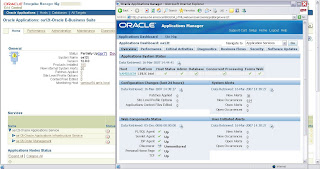 h, my first 11.5.10 configuration didn't work anymore, so I had to rediscover both R12 and 11i again. After rediscovering both environments, I was able to drop the old 11i target. So, now I have both environments in OEM10G. The services to be monitored look a little bit different for R12, because of the 10g iAS...Also OAM is integrated into OEM10G, so you can drill down into the EBS R12. How to configure R12 and 11i with the new Oracle Application plugin is documented in a Getting Started.pdf (can be downloaded from Metalink). So, now I am ready to monitor....
 h, my first 11.5.10 configuration didn't work anymore, so I had to rediscover both R12 and 11i again. After rediscovering both environments, I was able to drop the old 11i target. So, now I have both environments in OEM10G. The services to be monitored look a little bit different for R12, because of the 10g iAS...Also OAM is integrated into OEM10G, so you can drill down into the EBS R12. How to configure R12 and 11i with the new Oracle Application plugin is documented in a Getting Started.pdf (can be downloaded from Metalink). So, now I am ready to monitor....
 Tuesday, March 06, 2007
Oracle EBS 11i with 10G OEM

For our remote administration of databases, I was asked to configure our own internal EBS 11.5.10 environment in Oracle Enterprise Manager 10g.
First the Oracle EBS plugin was installed on the Oracle Management Server.
Second I had to install an agent on the EBS machine, and also apply the plugin patch into the Intelligent Agent home (patch p4678538_11i_LINUX.zip).
After the plugin patch I also applied the OAM integration patch (p3410599_11i_GENERIC.zip).
After patching the Agent home and defining targets in OEM, the Oracle EBS environment was configured in OEM. There was still one problem, when trying to configure the database target I could not connect with the sys account. Every time I tried to connect with sys, the following error occurred :
ORA-01017: invalid username/password; logon denied ORA-27037: unable to obtainfile status Compaq Tru64 UNIX Error: 2: No such file or directory Additionalinformation: 3
I found out that all I needed was a password file.....
Following note 359979.1 from Metalink helped me.
1. set REMOTE_LOGIN_PASSWORDFILE to exclusive (static parameter..)
2. Create password file using orapwd utility
3. restart database
After this you can rerun the database configuration in Grid Control....
Tuesday, February 27, 2007
First patch on Oracle E-Business Suite R12
This morning I downloaded my first patch for the new Oracle EBS R12. Already there are 2 high priority patches for the new EBS, and I downloaded one of them (patch p5856453_R12[1].AD.A_R12_LINUX.zip).
I could not help feeling a little bit excited, because patching is changed in EBS R12.
The manual steps to be taken before patching are removed from the readme and placed into an xml file. Before patching you are supposed to run a new perl script called $AD_TOP/bin/admsi.pl
This script creates an install_{patch_number}.html.
After performing the steps in the html file, you have to run $AD_TOP/bin/admsi.pl –done (to let the system know you have performed the manual steps….).
The admsi.pl also creates a custom readme which you have to read before patching.
I was a little bit disappointed, because the patch I downloaded is maybe to small. Nothing about admsi.pl in the readme…Tried to run admsi.pl anyway
cd /ebs/patches/5856453/ad/patch/115/manualsteps
[oracle@vamisux34 manualsteps]$ $AD_TOP/bin/admsi.pl
Invoking Oracle Patch Application Assistant….
Exception in thread "main" java.lang.ExceptionInInitializerError
at com.jgoodies.looks.plastic.PlasticLookAndFeel.(PlasticLookAndFeel.java:122)
at oracle.apps.ad.msi.LaunchUI._useOracleLookAndFeel(LaunchUI.java:69)
at oracle.apps.ad.msi.LaunchUI.(LaunchUI.java:29)
Caused by: java.awt.HeadlessException:
No X11 DISPLAY variable was set, but this program performed an operation which requires it.
at sun.awt.HeadlessToolkit.getScreenResolution(HeadlessToolkit.java:189)
at com.jgoodies.looks.LookUtils.isLowResolution(LookUtils.java:436)
at com.jgoodies.looks.LookUtils.(LookUtils.java:180)
… 3 more
Maybe with X-manager and $DISPLAY set ? No, admsi.pl returns a java exception…
Invoking Oracle Patch Application Assistant….
Exception in thread "main" java.lang.StringIndexOutOfBoundsException: String index out of range: -1
at java.lang.String.substring(String.java:1762)
at oracle.apps.ad.msi.LaunchUI.main(LaunchUI.java:107)
Running admsi.pl like this.....
I could not help feeling a little bit excited, because patching is changed in EBS R12.
The manual steps to be taken before patching are removed from the readme and placed into an xml file. Before patching you are supposed to run a new perl script called $AD_TOP/bin/admsi.pl
This script creates an install_{patch_number}.html.
After performing the steps in the html file, you have to run $AD_TOP/bin/admsi.pl –done (to let the system know you have performed the manual steps….).
The admsi.pl also creates a custom readme which you have to read before patching.
I was a little bit disappointed, because the patch I downloaded is maybe to small. Nothing about admsi.pl in the readme…Tried to run admsi.pl anyway
cd /ebs/patches/5856453/ad/patch/115/manualsteps
[oracle@vamisux34 manualsteps]$ $AD_TOP/bin/admsi.pl
Invoking Oracle Patch Application Assistant….
Exception in thread "main" java.lang.ExceptionInInitializerError
at com.jgoodies.looks.plastic.PlasticLookAndFeel.
at oracle.apps.ad.msi.LaunchUI._useOracleLookAndFeel(LaunchUI.java:69)
at oracle.apps.ad.msi.LaunchUI.
Caused by: java.awt.HeadlessException:
No X11 DISPLAY variable was set, but this program performed an operation which requires it.
at sun.awt.HeadlessToolkit.getScreenResolution(HeadlessToolkit.java:189)
at com.jgoodies.looks.LookUtils.isLowResolution(LookUtils.java:436)
at com.jgoodies.looks.LookUtils.
… 3 more
Maybe with X-manager and $DISPLAY set ? No, admsi.pl returns a java exception…
Invoking Oracle Patch Application Assistant….
Exception in thread "main" java.lang.StringIndexOutOfBoundsException: String index out of range: -1
at java.lang.String.substring(String.java:1762)
at oracle.apps.ad.msi.LaunchUI.main(LaunchUI.java:107)
Running admsi.pl like this.....
[oracle@vamisux34 manualsteps]$ perl $AD_TOP/bin/admsi.pl -cli
Gathering Information..
Enter the patch_top : /ebs/patches/5856453
Enter the APPS user password:
Logfile for this session is located at admsi.log
Generating installation instructions for patch 5856453..
Updating database....
install_5856453.html generated successfully
install_5856453.txt generated successfully
[oracle@vamisux34 manualsteps]$
The install_5856443.html is the new readme. Because there are no manual actions to perform, the new generated readme is the same as the old one and I can apply the patch using adpatch..
oracle@vamisux34 appl]$ cd /ebs/patches
[oracle@vamisux34 patches]$ ls
5856453 p5856453_R12[1].AD.A_R12_LINUX.zip
[oracle@vamisux34 patches]$ cd 5856453/
[oracle@vamisux34 5856453]$ adpatch options=hotpatch
************* Start of AutoPatch session *************
AutoPatch version: 12.0.0
AutoPatch started at: Tue Feb 27 2007 11:05:47
…..
AutoPatch is complete.
AutoPatch may have written informational messages to the file/appl/apps/apps_st/appl/admin/PROD/log/u5856453.lgi
Errors and warnings are listed in the log file/appl/apps/apps_st/appl/admin/PROD/log/u5856453.log
and in other log files in the same directory.
The patch finished without problems….
Monday, February 26, 2007
OAUG meeting in Amsterdam

This afternoon I was present at the OAUG netherlands. The meeting was held in the Nationaal Lucht -en Ruimtevaartlaboratorium in Amsterdam and the topic was Oracle ASM with the Oracle EBS.
So, first an Oracle certified master, Rene Kundersma, told something about Oracle ASM. Next topic was supposed to be about the Oracle EBS using ASM, but the speaker had to cancel...so Rene could tell us more about Oracle ASM without Oracle EBS. To bad, because the room was filled with Oracle EBS people, and a lot of questions were asked concerning the Oracle EBS with ASM. But, unfortunately all these questions remain unanswered...But the story Rene Kundersma told us was very interesting also !
Friday, February 23, 2007
Oracle Partner Release 12 Update seminar
This morning I was present at the Release 12 Partner update Seminar at Oracle in the Netherlands. Before the lunch there were some presentations, and one of them was very good. It was a presentation from Karsten Roigk (VP Applications), about the Oracle strategy and also some new features in Oracle General Ledger. Very interesting...
After the lunch I went to the Applications Technology meeting. This seminar was also an overview, but still there were some interesting issues. For example, in R12 the Integration Repository is part of the EBS, instead of the static html page it was in EBS 11i (http://irep.oracle.com/index.html). And now that it's part of the EBS, when a patch updates a api, the irep is also updated !!! The irep, by the way, is used for integration with the Oracle EBS. It shows us how you can integrate with the EBS. Making irep a part of the EBS R12 is also a part of the Oracle Fusion development.
After the lunch I went to the Applications Technology meeting. This seminar was also an overview, but still there were some interesting issues. For example, in R12 the Integration Repository is part of the EBS, instead of the static html page it was in EBS 11i (http://irep.oracle.com/index.html). And now that it's part of the EBS, when a patch updates a api, the irep is also updated !!! The irep, by the way, is used for integration with the Oracle EBS. It shows us how you can integrate with the EBS. Making irep a part of the EBS R12 is also a part of the Oracle Fusion development.
Friday, February 16, 2007
Oracle Applications Manager in Oracle EBS R12
I tried to find the new OAM, but could not find the responsibility for it.


When login in a 11i environment, you could choose to login into the application or login the web OAM. In R12 you cannot make this choice anymore. So where is the new web OAM ??
When logged in as 'sysadmin' the only applications manager responsibility is ' Workflow : Applications Manager'

When you choose that responsibility, it takes you to the workflow part of OAM. From there you can go to the Applications dashboard tab and you are in the known OAM webpage...
You enter the new web OAM through the following url : http://vamisux34.amis.local:8000/OA_HTML/weboam/oam/oamApps$target=PROD
and in the 11i environment the url looked like
So it changed from oa_servlets to OA_HTML.....

The OAM main page looks the same, but there is a new tab.. 'Software Updates'. Opening that page shows us the following...

The page schows us the Maintenance Activities like 'AD Administration -Disable Maintenance Mode'....
Also there is a Applied Bug Fix Check and a patch recommendation Request...
The old Applied Patches info is also available...
Wednesday, February 14, 2007
Guest password in Oracle EBS
Last Friday I received a message from an international EBS user. The GUEST password was changed in the profile option GUEST_USER_PASSWORD (default GUEST/ORACLE). After the change, they could not login the Oracle EBS anymore. She asked me for some advice, how to solve this problem since it was their production environment.
What the current password is, is shown by the following sql
SQL> select profile_option_value from fnd_profile_option_values
2 where profile_option_id = 3805;
To see if the login password for user GUEST is the default password...
select fnd_web_sec.validate_login('GUEST','ORACLE)
from dual;
Because autoconfig was no option at that time, I suggested to change the profile back to it's default by using the SAVE function from the FND_PROFILE package.
DECLARE
stat boolean;
BEGIN
dbms_output.disable;
dbms_output.enable(100000);
stat := FND_PROFILE.SAVE('GUEST_USER_PWD', 'GUEST/ORACLE', 'SITE');
IF stat
THEN
dbms_output.put_line( 'Stat = TRUE - profile updated' );
ELSE
dbms_output.put_line( 'Stat = FALSE - profile NOT updated' );
END IF;
commit;
END;
After running this function the password was set to ORACLE. The GUEST user password is also mentioned in the dbc file and in the xml file. If all the entry's are the same, everything should work fine.
Well, at Sunday we lost contact. But last Monday I received an email saying the problem was solved. I asked what solved the problem in the end, but I did not receive an answer yet.
What the current password is, is shown by the following sql
SQL> select profile_option_value from fnd_profile_option_values
2 where profile_option_id = 3805;
To see if the login password for user GUEST is the default password...
select fnd_web_sec.validate_login('GUEST','ORACLE)
from dual;
Because autoconfig was no option at that time, I suggested to change the profile back to it's default by using the SAVE function from the FND_PROFILE package.
DECLARE
stat boolean;
BEGIN
dbms_output.disable;
dbms_output.enable(100000);
stat := FND_PROFILE.SAVE('GUEST_USER_PWD', 'GUEST/ORACLE', 'SITE');
IF stat
THEN
dbms_output.put_line( 'Stat = TRUE - profile updated' );
ELSE
dbms_output.put_line( 'Stat = FALSE - profile NOT updated' );
END IF;
commit;
END;
After running this function the password was set to ORACLE. The GUEST user password is also mentioned in the dbc file and in the xml file. If all the entry's are the same, everything should work fine.
Well, at Sunday we lost contact. But last Monday I received an email saying the problem was solved. I asked what solved the problem in the end, but I did not receive an answer yet.
Subscribe to:
Posts (Atom)